
3D Printer Buying Guide: What Matters and What Doesn’t
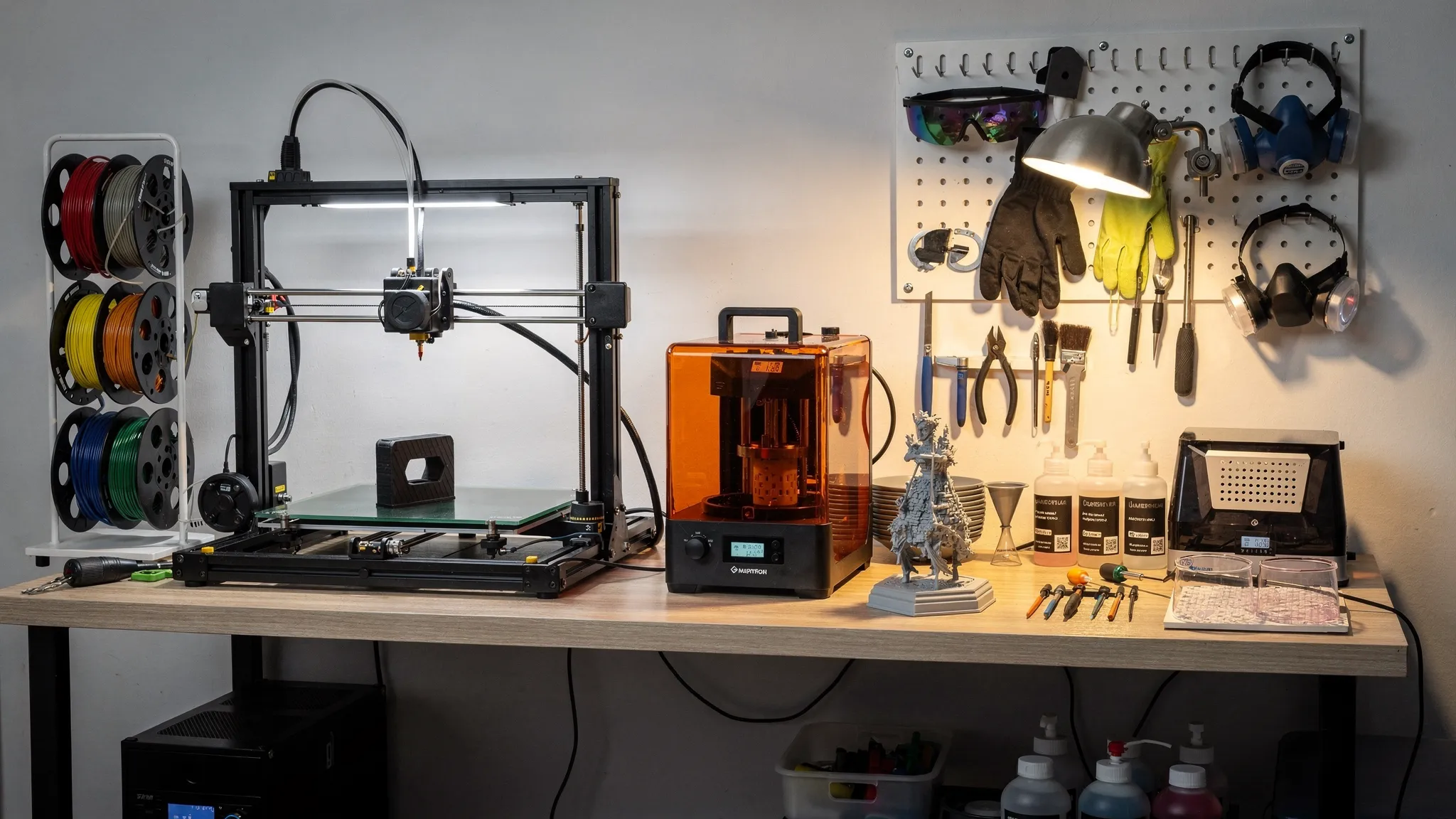
Buying a 3D printer is exciting until the spec sheets start competing for your attention. One listing promises ultra-fast printing, another advertises microscopic layer heights, and a third shows huge models that look perfect right out of the machine. The problem is that not every feature matters equally, and some headline specs can distract you from the things that actually determine whether you will enjoy printing.
A smart 3D printer purchase starts with a simple question: what do you want to make most often? A machine that is great for sturdy brackets may be the wrong choice for miniatures. A printer that produces beautiful resin details may be frustrating for large household parts. And for occasional custom projects, buying a printer may not be the best investment at all.
This guide breaks down what matters, what does not, and when using a professional 3D printing service like Firecloud Printz can make more sense than owning, tuning, and maintaining your own machine.
Start With the Real Use Case, Not the Printer
Before comparing brands, build plates, and nozzles, define your most common projects. A 3D printer is not one universal tool. It is closer to a workshop machine, where the best choice depends on the work.
If you want to print cosplay props, organizers, brackets, fixtures, and larger functional parts, an FDM printer is usually the most practical starting point. FDM printers use filament, often PLA, PETG, ABS, ASA, TPU, or similar thermoplastics. They are widely available, relatively affordable, and good for durable parts.
If your main goal is miniatures, tabletop models, jewelry prototypes, highly detailed display pieces, or small art objects, a resin printer may be more appealing. Resin printers can capture very fine detail, but they require more post-processing, more careful safety practices, and more cleanup.
If you need nylon, flexible production parts, complex assemblies, or highly consistent small-batch output, you may be looking beyond typical desktop machines. In those cases, a print service can often deliver better results without forcing you to invest in specialized equipment.
FDM vs Resin: The First Big Decision
Most first-time buyers end up choosing between FDM and resin. Both can produce excellent prints, but they solve different problems.
| Factor | FDM printer | Resin printer |
|---|---|---|
| Best for | Larger parts, functional prints, household items, prototypes | Miniatures, fine details, display models, small intricate parts |
| Common materials | PLA, PETG, ABS, ASA, TPU | Standard resin, tough resin, flexible resin, specialty resins |
| Post-processing | Remove supports, trim, sand, sometimes paint | Wash, cure, remove supports, manage resin waste |
| Work area needs | Stable table, ventilation helpful depending on material | Gloves, ventilation, washing and curing setup |
| Strength direction | Layer orientation matters significantly | Can be brittle depending on resin and design |
| Beginner friendliness | Generally easier for most hobbyists | Excellent detail, but more safety and cleanup steps |
Neither option is automatically better. The right choice depends on whether you value part size, strength, material variety, and convenience, or fine surface detail and sharp features.
For a broader look at how printing methods and materials differ, Firecloud Printz also covers the basics in Additive Printing Explained: Materials, Uses, and Benefits.
What Actually Matters When Buying a 3D Printer
The most useful buying criteria are not always the flashiest. Focus on the features that affect day-to-day reliability, print quality, and the kinds of projects you can realistically complete.
Print Reliability
Reliability is more important than maximum speed or theoretical resolution. A printer that needs constant adjustment can turn a fun hobby into a troubleshooting routine.
Look for signs that a machine is known for consistent first layers, stable motion, good temperature control, and a strong user community. Reviews that show long-term use are more useful than launch-day excitement. Search for repeated complaints about bed leveling, clogged hotends, warped beds, resin leaks, firmware issues, or inconsistent extrusion.
A reliable printer should let you spend more time making parts and less time diagnosing mysterious failures.
Build Volume That Matches Your Projects
Build volume matters, but bigger is not always better. Large-format machines take more space, often require more careful calibration, and can make long prints riskier. A huge bed is useful if you regularly print helmets, architectural models, large fixtures, signs, or multi-part assemblies. It is less important if you mostly print desk accessories, small brackets, miniatures, or replacement clips.
For many users, a medium build volume is the sweet spot. You can still split large models into sections, then glue, pin, or fasten them after printing. In fact, splitting a large model can improve quality because each section can be oriented for strength and surface finish.
Material Compatibility
A 3D printer is only as useful as the materials it can run well. For FDM printers, PLA is easy and beginner-friendly, but it is not ideal for hot cars, outdoor exposure, or high-stress parts. PETG is more durable and heat-resistant than PLA, while ASA and ABS can handle tougher environments but usually need better ventilation and enclosure control. TPU is flexible but requires a suitable extruder setup.
If you want functional parts, pay close attention to nozzle temperature, bed temperature, enclosure options, and whether the printer can handle abrasive filaments. Carbon-filled and glow-in-the-dark materials, for example, can wear standard brass nozzles faster.
For resin printers, material choice affects flexibility, toughness, brittleness, heat resistance, and surface finish. Do not assume every resin print will behave like an injection-molded plastic part.
Bed Leveling and First-Layer Assistance
First-layer problems are one of the most common sources of failed prints. Features like automatic bed leveling, mesh compensation, reliable build surfaces, and assisted calibration can make a major difference, especially for beginners.
That said, “auto-leveling” does not always mean the machine requires no setup. You may still need to set Z-offset, clean the bed, check mechanical alignment, and understand adhesion. The best printers make this process easier and more repeatable.
Software and Slicer Support
A printer with good hardware can still be annoying if the software experience is poor. Check whether the printer works with popular slicers, whether profiles are available, and whether firmware updates are stable. A good slicer profile gives beginners a better starting point and helps experienced users fine-tune speed, supports, cooling, wall count, infill, and surface quality.
For resin printing, slicer support matters for orientation, hollowing, drainage holes, support placement, exposure settings, and anti-aliasing. Weak slicer support can lead to failed prints or excessive cleanup.
Replacement Parts and Community Support
Every 3D printer needs maintenance eventually. Nozzles wear out, FEP films get damaged, belts loosen, fans fail, build plates age, and hotends clog. A printer with easy-to-find replacement parts is less risky than a closed system with limited support.
Community support also matters. Active user groups, troubleshooting guides, profile libraries, and repair videos can save hours. A large community does not guarantee quality, but it does make problem-solving easier.
Safety and Workspace Requirements
A 3D printer is a machine that uses heat, moving parts, and materials that may release fumes or particles depending on the process. Safety should influence your buying decision.
For FDM, consider where the printer will run, how loud it is, whether it has thermal runaway protection, and whether materials like ABS or ASA require an enclosure and ventilation. For resin, plan for gloves, eye protection, ventilation, spill control, washing, curing, and proper disposal of uncured resin and contaminated materials.
If you cannot provide the right workspace, it may be better to outsource certain prints rather than force a printer into a bedroom, kitchen, or shared living area.
What Matters Less Than You Think
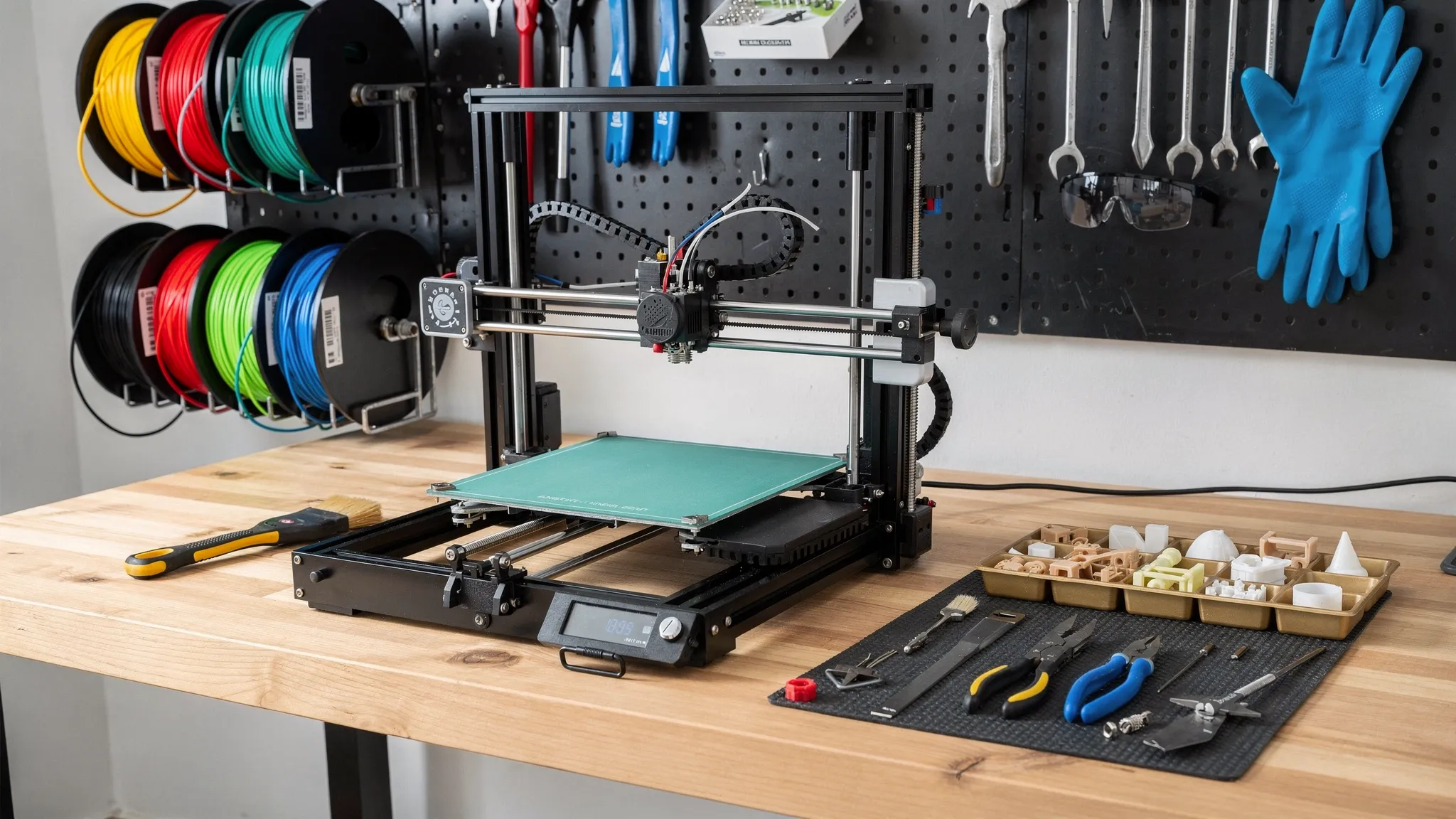
Some specs sound impressive, but they may not improve your actual results. These are the areas where buyers often over-focus.
Extremely Low Layer Heights
Layer height affects visible layer lines, but chasing the smallest possible number is not always useful. Many FDM prints look good at practical layer heights when orientation, cooling, speed, and material are dialed in. Ultra-fine layers can dramatically increase print time without making the part meaningfully better.
For resin, small layer heights can improve detail, but exposure settings, resin quality, support strategy, and model design matter too. A poorly supported resin model printed at a tiny layer height can still fail or show support damage.
Maximum Advertised Speed
Speed is one of the most marketed printer specs. It is also one of the easiest to misunderstand. A printer may be capable of high travel speeds, but real print speed depends on acceleration, cooling, material flow, geometry, layer height, support structure, and the quality you are willing to accept.
Fast printing is valuable if the machine can maintain accuracy and surface quality. But for many users, a dependable printer at moderate speed beats a fast printer that creates ringing, weak layers, failed corners, or rough surfaces.
Fancy Touchscreens and Cosmetics
A good interface is helpful, but a pretty screen does not fix mechanical problems. Do not let touchscreens, LED lighting, or sleek exterior panels distract from motion quality, frame rigidity, bed stability, firmware, and material handling.
A printer that looks less polished but performs consistently may be the better buy.
Huge Infill Percentages
Many new users assume stronger parts require very high infill. In reality, wall count, orientation, material choice, layer bonding, fillets, ribs, and load direction often matter more. A part with smart geometry and several perimeters can outperform a poorly designed part with excessive infill.
If strength is a priority, focus on design and print orientation before simply increasing infill. Firecloud Printz explains this in more depth in 3D Printer Prints: How to Improve Strength and Finish.
The Cheapest Possible Printer
Budget matters, but the cheapest printer can become expensive if it wastes filament, needs constant upgrades, or causes repeated failed prints. Sometimes spending a little more upfront saves money in replacement parts, wasted materials, and frustration.
This does not mean you need a premium machine. It means the lowest price should not be your only buying criterion.
The Hidden Costs of Owning a 3D Printer
The printer itself is only part of the cost. A realistic budget includes consumables, tools, maintenance, workspace upgrades, and failed prints.
For FDM printing, plan for filament, spare nozzles, bed adhesive or replacement build surfaces, cutters, deburring tools, storage containers, desiccant, and possibly a filament dryer. If you print higher-temperature materials, an enclosure may be needed.
For resin printing, budget for resin, gloves, isopropyl alcohol or approved wash solution, paper towels, filters, replacement FEP or release film, curing equipment, wash containers, PPE, and waste handling supplies. Resin printing can be extremely rewarding, but the true setup cost is higher than many beginners expect.
Time is another hidden cost. Learning to slice, troubleshoot, maintain, sand, glue, prime, paint, and revise models takes effort. If that sounds enjoyable, owning a printer can be a great hobby. If you mainly want the finished object, a service may be the better route.
A Practical Buying Checklist
Use this checklist before committing to a machine. It helps separate genuine needs from marketing noise.
- Primary use: Decide whether you will mostly print functional parts, decorative objects, miniatures, prototypes, props, or replacement components.
- Process choice: Choose FDM for larger and practical parts, resin for fine details and small display-quality models.
- Workspace: Confirm you have a stable location, ventilation when needed, safe storage, and room for tools and materials.
- Material needs: Check whether the printer supports the plastics or resins your projects require.
- Build volume: Pick a size that matches most projects, not the largest one you can imagine printing once.
- Reliability signals: Read long-term reviews, user forums, and common troubleshooting reports.
- Software support: Confirm slicer compatibility, available profiles, and firmware reputation.
- Maintenance access: Make sure replacement parts are available and basic repairs are realistic.
- Total cost: Include materials, tools, failed prints, upgrades, PPE, and post-processing supplies.
If you cannot answer these points clearly, wait before buying. You may need more research, or you may need a print partner instead of a printer.
When a 3D Printing Service Is Smarter Than Buying
Owning a printer makes sense if you enjoy the process, print often, and want hands-on control. But buying is not always the most efficient path.
A service is often smarter when you need a one-off custom part, a gift, a designer-authorized model, a high-detail print, multiple material options, or a project with a deadline. It also helps when you do not want to manage calibration, failed prints, supports, post-processing, or material selection.
Firecloud Printz specializes in custom 3D printing, ready-made designer products, quick order estimates, high-detail prints, sustainable production, multiple material options, secure online ordering, and customer support. If you already have a file, you can request guidance on whether it is ready to print. If you are browsing for finished pieces, the online shop offers curated designer-authorized prints.
For customers still choosing or preparing a file, the guide How To Choose a 3D Model for 3D Printer Success can help you avoid common printability problems before requesting an estimate.
Business Buyers: Think Beyond the Machine
If you are buying a 3D printer for a business, school, studio, or product team, your decision should include more than technical specs. Consider documentation, repeatability, operator training, safety procedures, file ownership, commercial licensing, and quality control.
A business may also need to think about intellectual property, customer deliverables, liability, and contracts when producing parts for clients or selling printed products. For legal questions, consult a qualified attorney in your jurisdiction. Businesses working internationally may also want guidance from experienced regional firms such as Henlin Gibson Henlin when legal and commercial obligations are part of the project.
For small businesses, the key question is whether the printer will become a productive asset or another task that distracts from your core work. If your team needs prototypes every week, in-house printing can be valuable. If you only need occasional short-run production, outsourcing can keep your workflow lean.
Good Reasons to Buy a 3D Printer
A 3D printer is a great purchase when it fits your habits and expectations. You are likely to enjoy owning one if you want to experiment, iterate, learn, and accept that failed prints are part of the process.
Good reasons to buy include rapid prototyping, frequent hobby projects, classroom use, product development, custom fixtures, home workshop upgrades, model making, and learning digital fabrication. The best owners treat the printer as a tool, not a magic box.
You should also be comfortable with basic maintenance. Even beginner-friendly machines need cleaning, calibration, part replacement, and occasional troubleshooting.
Bad Reasons to Buy a 3D Printer
A 3D printer may disappoint you if your expectations are unrealistic. It is probably not the right purchase if you expect every downloaded model to print perfectly, need a flawless finished product with no sanding or cleanup, or only have one or two items you want to make.
It may also be a poor fit if you do not have a safe place to run it, dislike tinkering, or need production-quality consistency without learning process control. In those cases, using a professional service can give you the result without the ownership burden.
A Simple Decision Framework
If you are still unsure, use this quick framework.
| Your situation | Best path |
|---|---|
| You want to learn, tinker, and print regularly | Buy an entry-level or mid-range printer that fits your use case |
| You need detailed miniatures or display pieces | Consider resin, or use a service if you do not want resin cleanup |
| You need functional household parts and prototypes | Consider FDM with reliable material support |
| You need one custom item or a gift | Use a 3D printing service |
| You need a business prototype on a deadline | Use a service first, then consider buying if demand repeats |
| You need specialty materials or consistent batches | Compare professional printing quotes before investing in equipment |
This approach keeps the decision practical. You are not choosing the “best” 3D printer in the abstract. You are choosing the best path for your project, budget, workspace, and patience level.
Frequently Asked Questions
What type of 3D printer should a beginner buy? Most beginners who want practical household parts, prototypes, and general projects should start with an FDM printer. Beginners focused on miniatures or fine display detail may prefer resin, but should be ready for extra safety steps and post-processing.
Is a resin printer better than an FDM printer? Resin is better for fine detail and small intricate models, while FDM is usually better for larger parts, material variety, and functional prints. The better choice depends on what you plan to make.
How much build volume do I need? Choose a build volume that fits the projects you will make most often. Bigger is useful for props and large prototypes, but it can increase cost, space needs, and print risk. Many large models can also be split into smaller sections.
Do I need an expensive 3D printer to get good results? Not always. Good results depend on the printer’s reliability, setup, material choice, slicer settings, model design, and maintenance. A well-supported mid-range printer can outperform a more expensive machine that is poorly tuned.
When should I use a 3D printing service instead of buying a printer? Use a service when you need a one-off part, a polished gift, high-detail output, material guidance, designer-authorized products, or a deadline-friendly result without learning printer setup and troubleshooting.
Bring Your 3D Print Idea to Life Without Guesswork
Buying a 3D printer can be the right move if you plan to print often and enjoy the hands-on process. But if your main goal is a clean, accurate finished part, you do not have to buy a machine first.
Firecloud Printz helps turn digital designs into high-quality custom prints with attention to detail, quick estimates, multiple material options, and support for both custom orders and ready-made designer-authorized products. If you want the result without the trial-and-error, visit Firecloud Printz to explore the shop or start a custom order.
